Changelog

Follow new updates and improvements to f1-cosmos.

πŸš€ Version 1.14.1 - Trackmap Update & UX Enhancement (2026-09-14)

F1 COSMOS - Changelog

🏁 Version 1.14.1 - Track Map Overhaul & Better Race Data Experience (2026-09-14)

✨ Major New Features

πŸ—ΊοΈ Track Map Overhaul ⭐

The track map has been rebuilt to make circuit information clearer and easier to read.

  • Improved Circuit Design: Track layouts and corner numbers are now easier to follow

  • Latest Sector Status: See sector status based on the driver's latest lap data

  • Mini-Sector Status: View more detailed section-by-section status when mini-sector data is available

  • Driver Comparison: Select two drivers to compare sector performance using team colors

  • Race Information: Start/finish flag, overtake activation and detection points, and straight-mode sections

  • Flag Display: Yellow flags are mapped to marshal sectors, while red flags are shown across the full track

🏎️ How to Use the Track Map

  • Select one driver to see their latest sector and mini-sector status

  • Select two drivers to compare sector times and see who is ahead in each sector

  • Select no driver to view the base circuit layout and race information

🏁 New Grand Prix Results Table

A new table brings key session results for each Grand Prix into one view.

  • Session Results: View qualifying pole positions, race results, sprint poles, and sprint winners

  • Round-by-Round View: Follow results in season round order


πŸ› οΈ Major Improvements

πŸ“ˆ Clearer Laptime and Chart Comparisons

  • Teammate Distinction: When teammates share the same color, one driver's line is shown as dashed

  • Improved Legends and Tooltips: Solid and dashed line styles are also reflected in chart details

πŸ”§ Live Timing Pit Stop Monitoring

The Live Timing pit stop feature, which was not mentioned in the previous update, is now included in this release.

  • View each driver's pit stop lap, lane time, and stop time

  • See average lane time and average stop time

  • Available in both desktop and mobile Live Timing

⚑ Other Optimizations

  • Improved Live Timing widgets and data update flow

  • Stronger compatibility with new and legacy track data formats

  • More stable layouts and rendering across desktop and mobile screens

Made with ❀️ for F1 fans worldwide

NewImproved

πŸš€ Version 1.8.1 - 2026 Dashboard Update & 3D Telemetry Expansion (2026-03-16)

✨ Major New Features

πŸ—“οΈ 2026 Dashboard Update

The dashboard has been updated to support the 2026 season across key views.

  • 2026 Season Added: Key dashboard pages now support 2026 season data

  • 2024 Season Added Too: With 2026 now live, 2024 was added alongside it for wider season comparison

  • Faster Season Comparison: Switch seasons quickly and compare trends without leaving the page

🧭 New Head2Head 3D Telemetry View

A new 3D view makes driver-to-driver telemetry comparison much easier to read.

  • 3D Driving Comparison: Compare two drivers in a more immersive way

  • Stronger Head2Head Analysis: See braking, acceleration, and line differences more clearly


πŸ› οΈ Major Improvements

πŸ“ˆ Improved Telemetry Analysis Charts

Telemetry charts and the overall analysis flow have been refined.

  • Better Readability: Key sections and pace changes are easier to scan

  • Smoother Comparison Flow: Driver-to-driver differences are easier to follow

  • Stronger Season Sync: Analysis charts now behave more consistently after season changes


Made with ❀️ for F1 fans worldwide

NewImproved

πŸš€ Version 1.8.1 - Enhanced Interface & Data Experience (2025-09)

✨ Major New Features

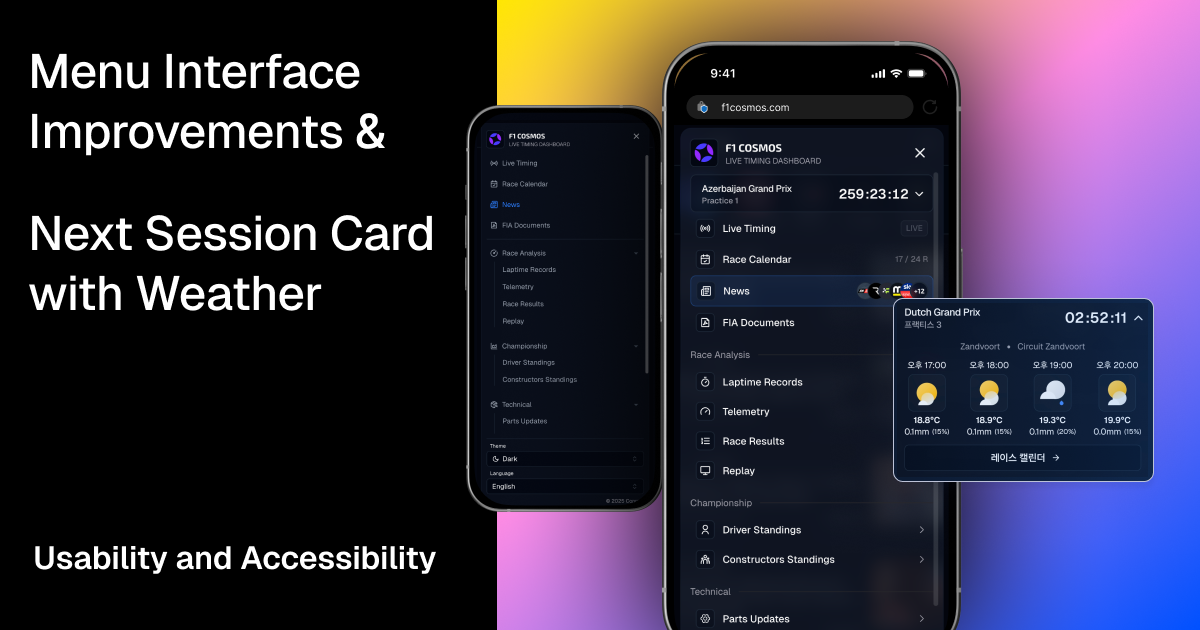
πŸ“± Interface Redesign

Mobile interface and navigation have been improved for better touch and click experience.

  • Smart Next Session Card: Displays next session with weather info and live countdown

  • Mobile Navigation Menu: Completely redesigned layout optimized for mobile

  • Better Touch Feedback: Improved touch response and click feedback


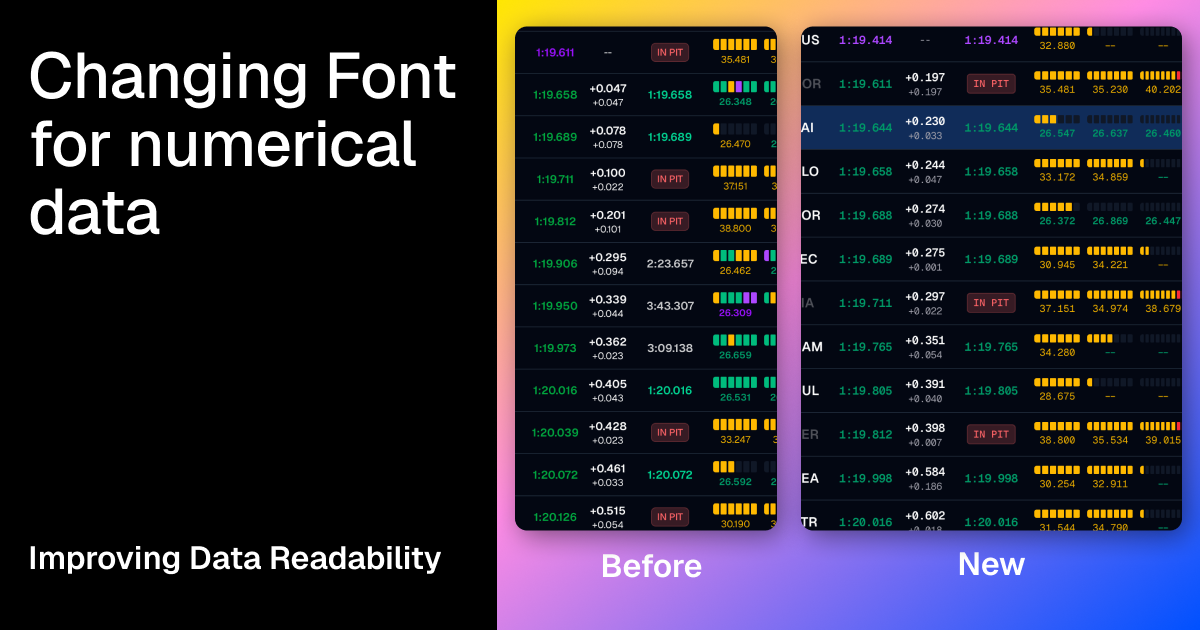
πŸ“Š Clearer Live Timing

Enhanced readability improves F1 data experience.

  • Font System Update: All numeric data now uses consistent spacing to eliminate layout shifts

  • Improved Contrast: Better color scheme for visibility in all lighting conditions


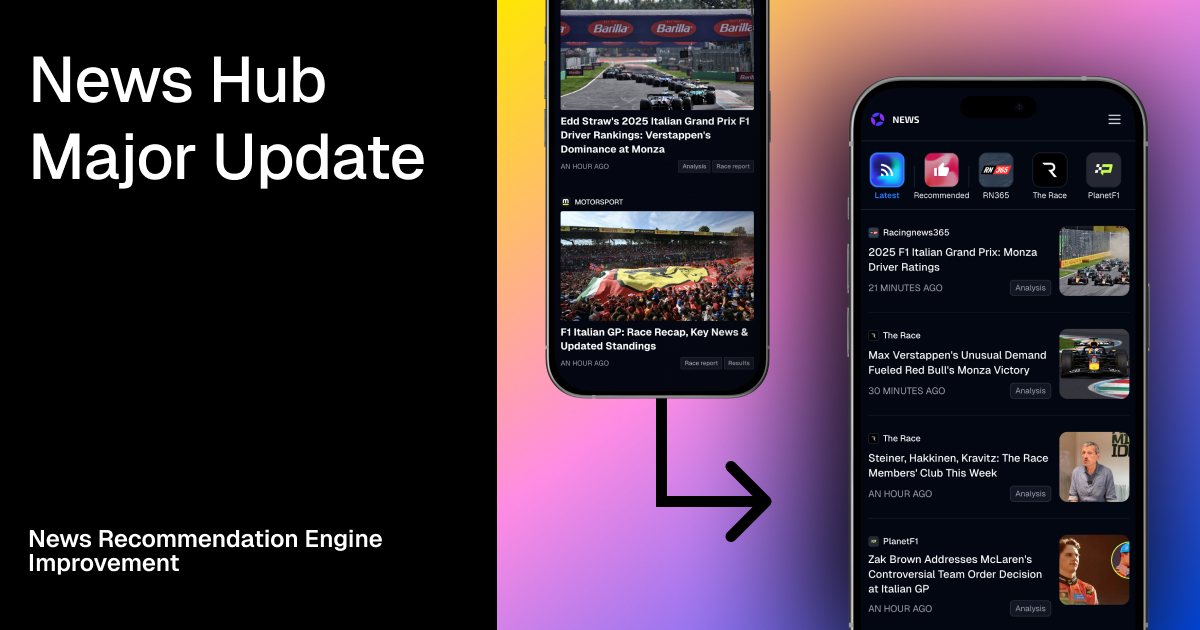
πŸ“° News Hub Renewal

The news hub has been completely renewed.

  • Recommended Articles: Algorithm considers importance and impact for article recommendations

  • Source Filtering: Filter articles by source to view only what you want

  • Mobile-Optimized News Reader: Redesigned for mobile reading


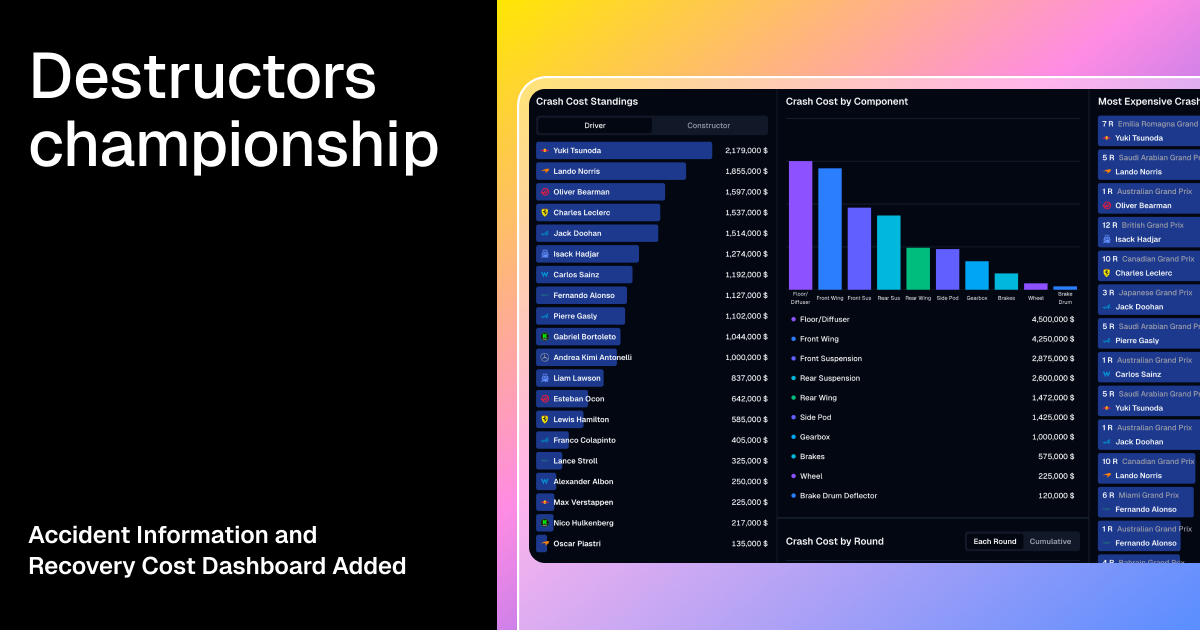
πŸ’₯ New Destructors Dashboard

Added dashboard for deep analysis of crash data and repair costs.

  • Crash Cost Analysis: View financial impact of each incident

  • Component Analysis: Detailed breakdown by car components

  • Round-by-Round Stats: Track destruction patterns throughout the season

  • Most Expensive Crashes: Rankings of the costliest incidents


Engineered with ❀️ for the global F1 community

New

Earlier updates